Authors

A Model Context Protocol (MCP) Server for Document Processing, Built for AI Agents
Your agent meets a document mid-task. Today it has three bad paths from here. It hallucinates from its built-in vision capabilities and hopes the table cells line up. It calls a generic parser package and trusts the output is good enough. Or it claims success and you find out two turns later when half the line items are missing. None of these paths gets you to reliable structured data, and most quietly fail on the files you didn't anticipate.
And meanwhile, every retry, every cleanup pass, every "let me look at that again" burns through your token budget.
Or before any of this, you stopped building the agent to figure out the pipeline first.
What if somebody has already done the job of figuring it out? These aren't new problems. Earnings decks with embedded charts. Scanned contracts with handwritten margin notes. Invoice formats no two vendors agree on. We've spent years figuring out what to do with any of them. From today, that expertise now lives in your agent's toolset.
We're introducing Unstructured Transform MCP, document processing your agent can call as a tool. This used to be something you built around your agent. Now it's callable as MCP tools in any client that speaks the protocol.
Add Transform to your AI tool. Authenticate once in your browser. The tools are live on your agent's next message. See the quickstart for the specifics of your client.
Unstructured Transform MCP is available today. Sign up here!
A walkthrough
Open Claude Code (or Codex, or Cursor, or any MCP-compliant client). Connect your AI tool to Unstructured Transform MCP, authenticate once in your browser, and the tools are live on your agent's next message.
You're working on an invoice reconciliation agent. Twelve invoices sit in ~/data/invoices/. A JSON file of purchase orders sits at ~/data/pos.json. You prompt:
"I have invoices in ~/data/invoices/ and POs in ~/data/pos.json. Find any mismatches in totals or line items."
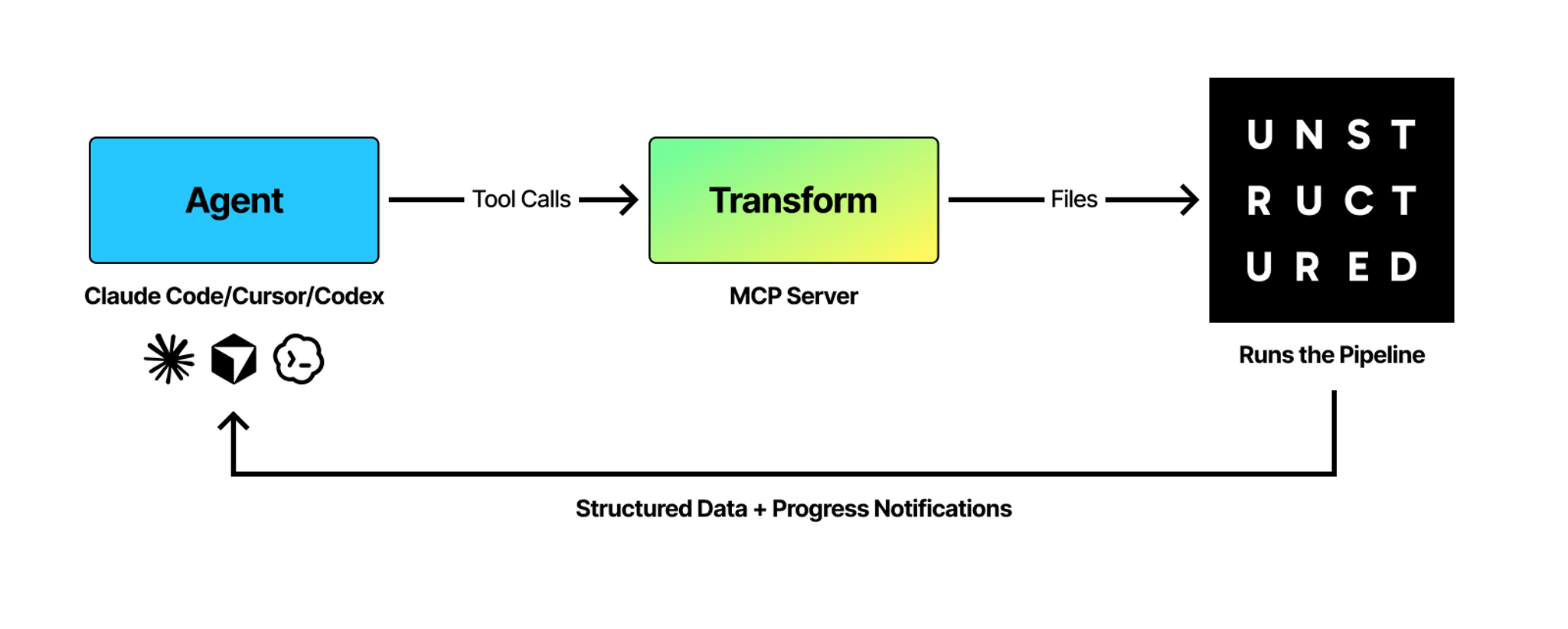
The agent decides to call Unstructured Transform MCP. You watch the tool calls happen in your session:
Behind the scenes, each file got the parsing strategy that fit its shape. Layout-heavy invoices got layout-aware extraction. Tables came back as structured tables. The agent didn't need to know which method handled which file. It described what it wanted, and the right approach ran.
The parsed output lands in the agent's context: text, tables, and structure intact. The agent reads each invoice, pulls vendor and total from the structured tables, joins it against your pos.json file via its filesystem tool, and reports back: three invoices have totals that don't match their POs. It writes the discrepancies to ~/reports/mismatches.csv and offers to draft the vendor follow-ups.
The whole loop ran inside Claude Code, and you never opened a browser tab.
Your agent learned Unstructured Transform MCP on its own. Documentation ships with the tool, and the agent reads it the way it reads any other docs. It composed one call that carried everything: the files and the data it wanted back. Unstructured Transform MCP handled the strategy underneath.
Why it's different
There are plenty of ways to give your agent document processing today. Notebook scripts copied from a tutorial. Parser APIs you wrap into a custom tool. Frontier model vision that hallucinates quietly on every fifth invoice. Most leave your agent with a plausible-looking pipeline that's hard to trust.
Unstructured Transform MCP is different on four components.
Composable. Output drops into your agent's next reasoning step. Parse 12 invoices, match them against your purchase orders, write the mismatches to a CSV, all in one session. Your agent doesn't switch contexts to use Transform. Unstructured Transform MCP fits inside the loop your agent already runs.
Inspectable. Every tool call is visible in your session. Every parameter the agent picked is visible. When the agent decides a file needs deeper parsing, you see that decision and why.
Reproducible. Every tool call captures the exact file, parameters, and pipeline settings. The workflow your agent ran at prototype is the workflow that runs at scale. Same workflow payload, same job behavior, same output shape, whether you're testing one file or processing a million.
Portable. The runnable code that Transform produced is yours when you want it. Drop it into your scheduler, your CI, your backend service. Validate in the agent's loop, ship in production.
Know your agents are getting the best parsing and extraction in the world
Unstructured Transform MCP handles 60+ file types: PDFs, emails, images, scanned docs, spreadsheets, presentations. Every one runs through the same Unstructured extraction pipelines ranked #1 on text accuracy, hallucination control, table cell content, and table cell position across 1,000+ pages of real enterprise documents.
Those four dimensions matter because wrong extraction very easily transforms from a data quality problem into a trust problem. Wrong text in a document means wrong answers from your AI. A hallucinated figure that looks right is worse than a gap. A number in the wrong table cell can move from a formatting error to a bad decision. These are the failure modes that end AI programs. Unstructured ranks #1 on all four.
Unstructured also outperforms off-the-shelf frontier models on the same benchmark. We wrote about that separately: the frontier is strong on a lot of things, but document parsing is harder than it looks.
The tool surface is new. The engine behind it has years of document AI research, continuously evaluated against SCORE-Bench, our open document parsing benchmark.
What developers are using it for
- A team replacing a brittle homegrown PDF pipeline that breaks every time a vendor changes their invoice template
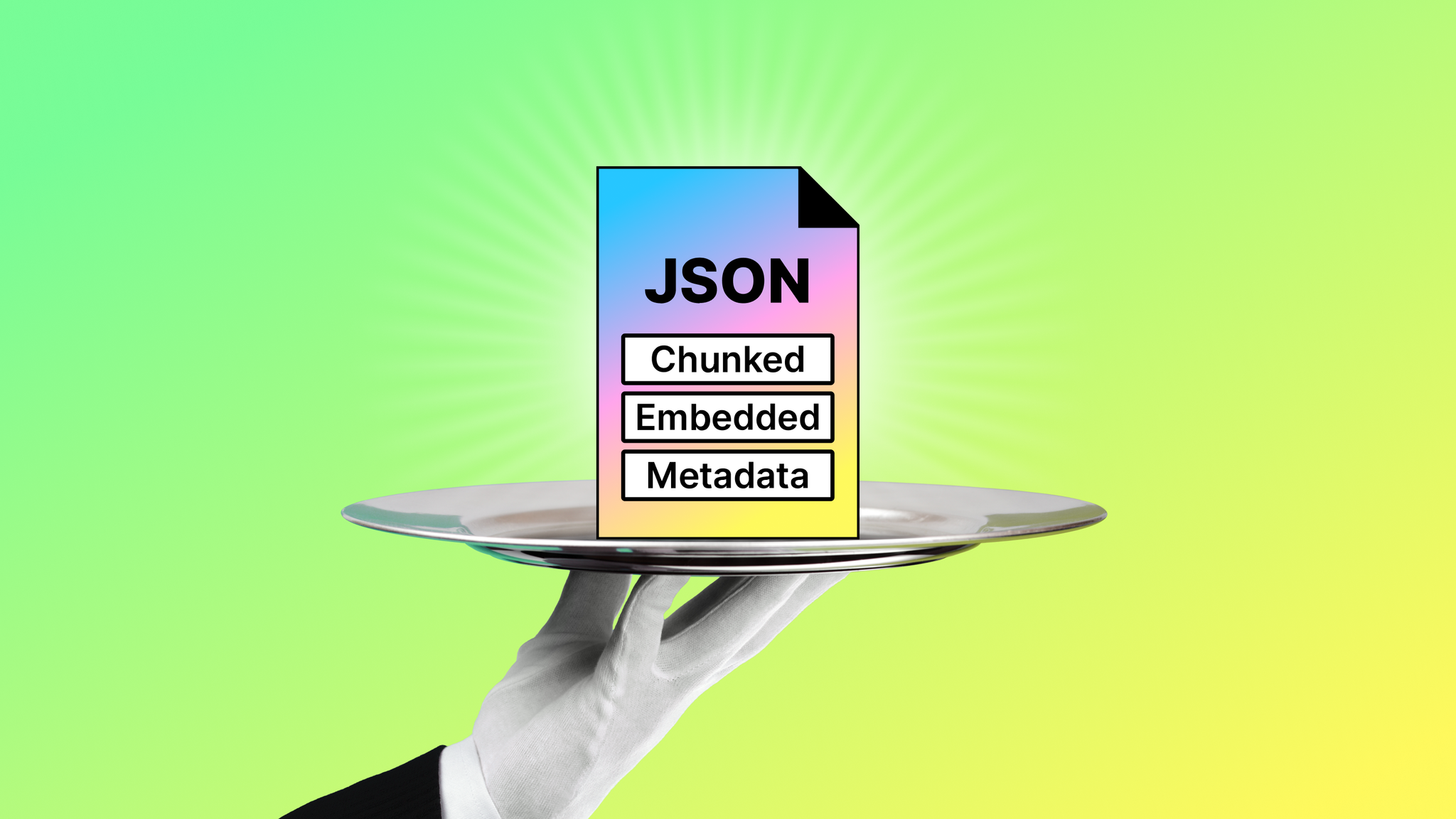
- An engineer building a RAG agent who needs documents chunked and embedded into their vector store, mid-build
- A developer pointing their agent at a thousand documents on their desktop and getting back parsed output file by file
- A team parsing patents, financial statements, or biological science papers with their tables and layout intact
In each case, the half-day spent picking the right approach becomes a tool call. The agent picks the workflow. The run happens on your real file. The structured output lands in the agent's next step.
From install to structured data in three minutes
Add Unstructured Transform MCP to your agent. Hand it a document from your hardest corpus. Watch your agent pick the approach, call Unstructured, and continue the work with structured output in hand.
10,000 free pages, $0.015 per page after that.
Three minutes from install to structured data. Try it on your hardest files and tell us if we got it right.
FAQ
What is Unstructured Transform MCP?
Unstructured Transform MCP is a Model Context Protocol server that gives AI agents document processing as a callable tool. Instead of building a parsing pipeline around an agent, developers connect their agent to Transform MCP and it applies the right parsing strategy automatically.
What is MCP (Model Context Protocol)?
Model Context Protocol (MCP) is an open standard that lets AI agents call external tools directly inside their reasoning loop. An MCP server exposes a set of tools an agent can invoke without custom integration code.
Which AI tools work with Transform MCP?
Transform MCP works with any MCP-compliant client, including Claude Code, Cursor, Codex, Cline, Devin, and IBM Bob.
How much does Transform MCP cost?
Transform MCP includes 10,000 free pages, $0.015 per page after that.
How is Transform MCP different from a generic parser or frontier-model vision?
Transform MCP is composable, inspectable, reproducible, and portable inside the agent's own loop. It applies a purpose-built parsing strategy per file rather than relying on a model's vision capabilities to guess at structure, which reduces hallucinated tables and figures.