Authors

Unstructured’s workflows take your documents through a series of nodes: a Partitioner that breaks content into typed document elements, Enrichments that add context and metadata, a Chunker that prepares elements for retrieval, and an Embedder that generates vectors for search. Each node gets your data closer to being useful for RAG, agentic AI, and model fine-tuning.
Today, we're adding a new enrichment to that workflow: Extract.
Some use cases don't need chunks ready for a vector store. They need records ready for a database. A stack of customer order forms where you need customer IDs, line items, and totals per document. Medical invoices where you need patient details and procedure codes, structured exactly as your downstream system expects. Real estate listings, financial statements, conference schedules. Any document type where the goal is a clean, consistently shaped JSON record rather than a set of retrievable text segments.
Extract lets you define that shape up front using a schema, and Unstructured extracts the data directly from your source documents into consistent, application-ready JSON, as part of the same workflow you already use.

How it works
The Extract node is added to your workflow right before the Destination node. You define the structure of the data you want using an extraction schema, a JSON schema that follows the OpenAI Structured Outputs format. Unstructured provides a visual schema builder inside the workflow editor so you can define your fields, types, and descriptions without writing JSON by hand.
When the workflow runs, the Extract node outputs a new document element type called DocumentData. It appears at the top of your results, and inside its metadata an extracted_data field contains your document's content mapped exactly to the structure you defined.
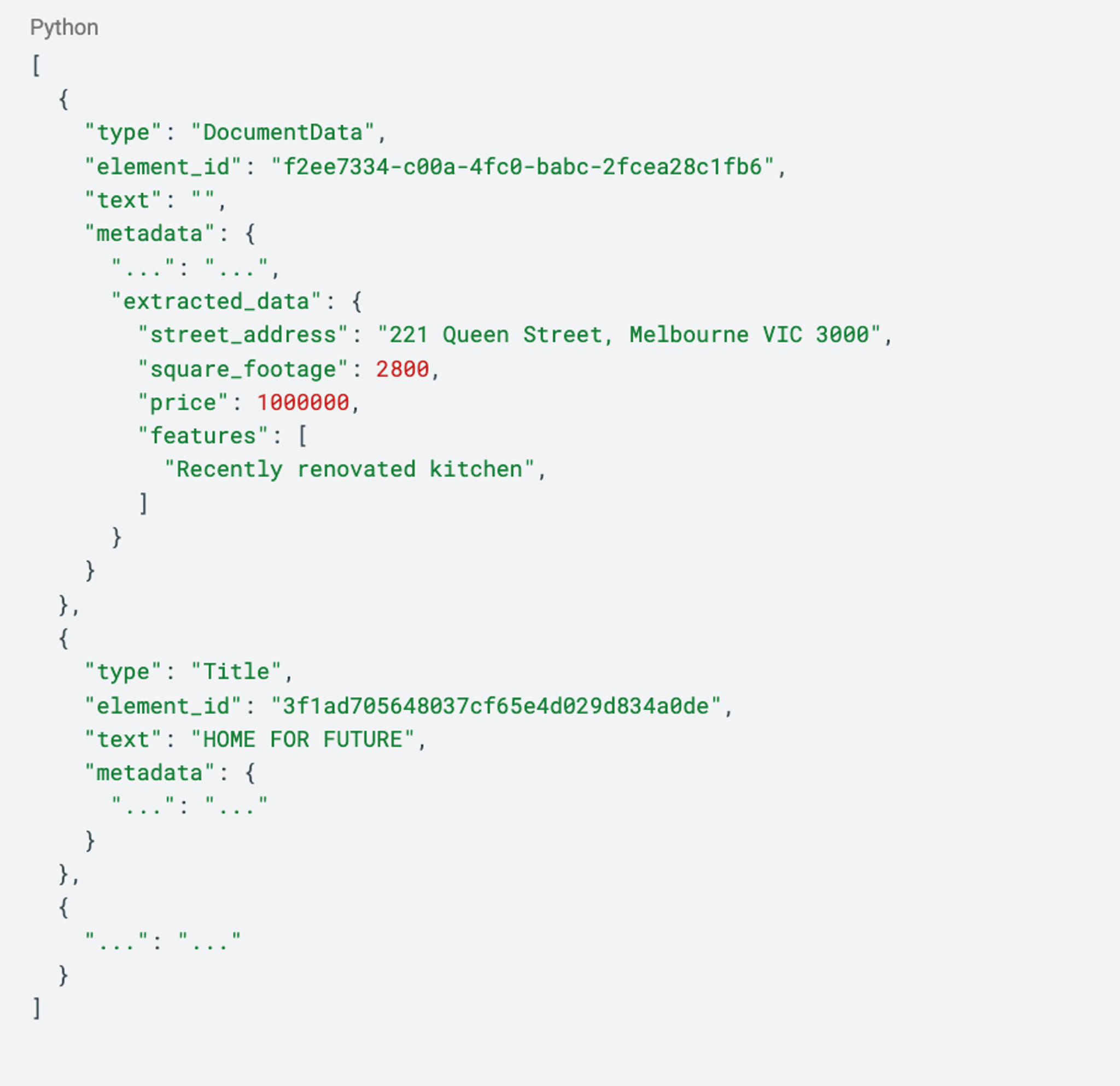
The rest of your document elements follow after DocumentData unchanged. If your workflow also needs chunking and embedding for retrieval, both still work as expected on the partitioned content.
Define your extraction, your way
The Extract node supports two methods: LLM-based extraction and regex-based extraction. Which one you use depends on what you're extracting.
LLM-based extraction is the right choice when the data you need requires understanding. Classifying whether a conference session is AI-related, Pulling structured patient records from unstructured medical notes. These are tasks where the meaning of the content matters, not just its pattern.
Regex-based extraction is the right choice when you're targeting predictable, well-defined patterns in your documents. Invoice numbers, dates, monetary amounts, email addresses, account IDs. If it follows a consistent format across your documents, regex gets you there faster.
For the LLM-based extraction, you define the schema in one of two ways. You can build it field by field using the visual schema builder directly inside the workflow editor — adding field names, types (string, integer, boolean, array, and more), and descriptions that guide the model on what to look for. Or if you already have a schema in JSON format, you can upload it directly. Either way, the schema must follow the OpenAI Structured Outputs format.
For regex-based extraction, you define a pattern name and a regular expression for each field you want to extract. Extract runs each pattern against the document's partitioned content and returns matches against the field names you've defined.
Beyond retrieval
There is a category of document work that goes beyond search and retrieval. Finance teams processing thousands of invoices and needing structured billing records. Healthcare providers extracting patient details and procedure codes from clinical notes and insurance forms. Legal teams pulling key obligations and dates from contracts at scale. Operations teams digitising paper forms, receipts, and reports directly into databases. This is what the industry calls intelligent document processing, and it has historically required purpose-built extraction systems, domain-specific models, or significant manual effort to get right.
Extract brings this capability into your workflow without the additional infrastructure. Because the Extract node sits on top of Unstructured's partitioning and enrichment layers, it inherits the same document understanding that already handles complex layouts, scanned files, multi-column PDFs, tables, images, and handwriting. You define the output shape. Unstructured handles the reading.
This also means the same workflow that prepares your documents for RAG can now produce structured records for your database in the same run. You are not choosing between retrieval and extraction. You get both.
Getting started
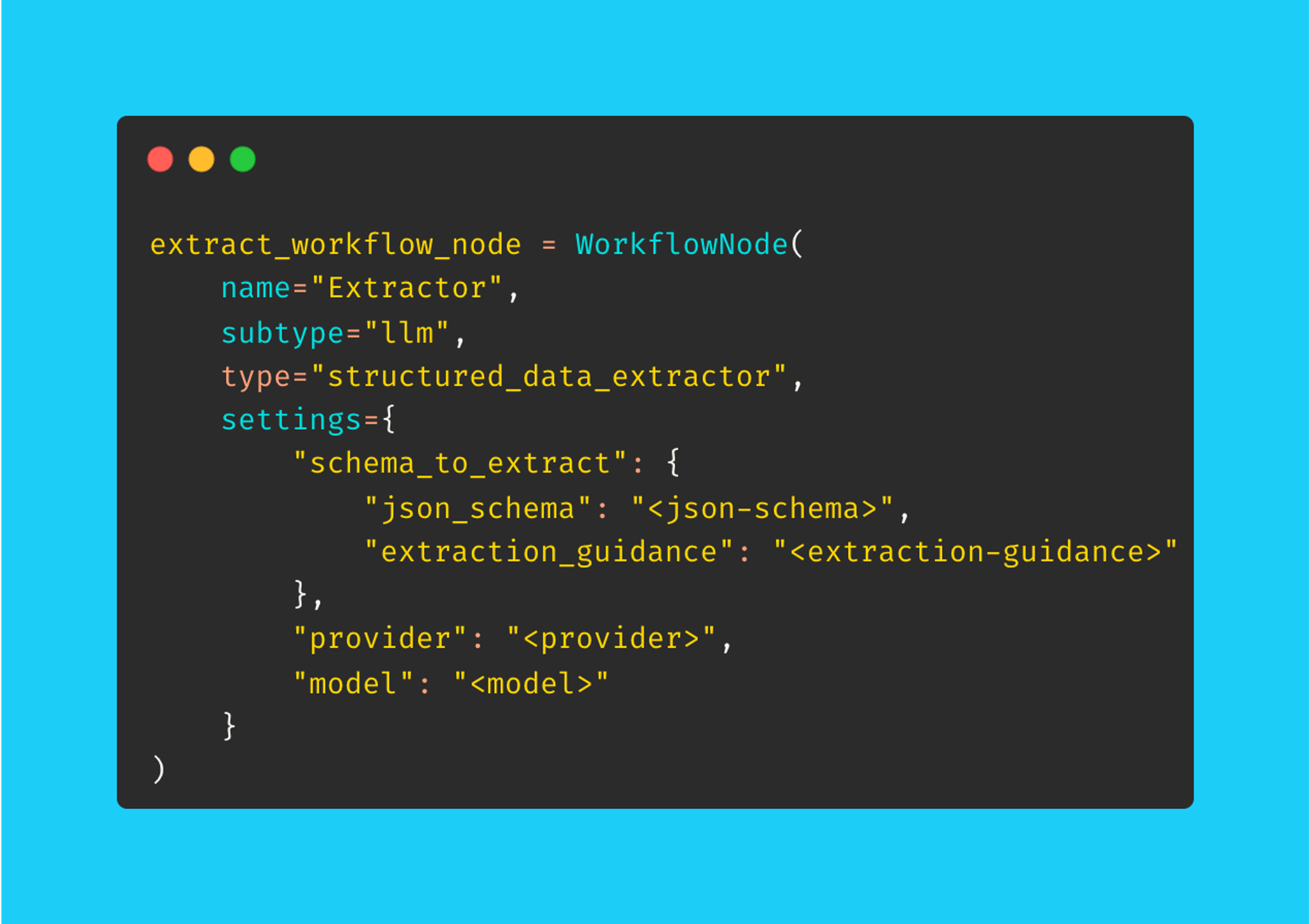
Add the Extract node to any workflow immediately before the Destination node, choose your provider and model, and define your schema using the visual builder or by uploading a JSON file.
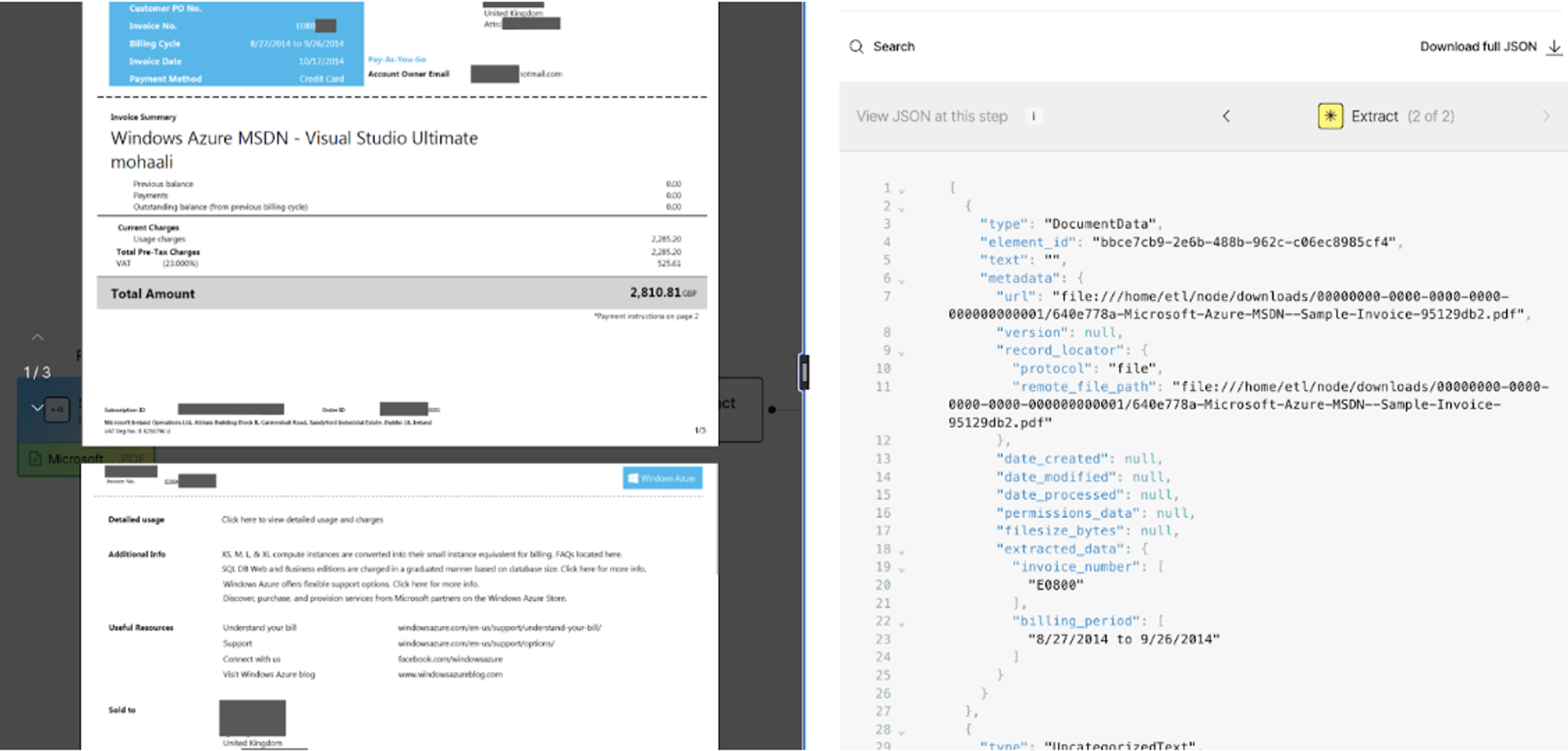
Before connecting source and destination connectors and running at scale, you can test your extraction directly inside the workflow builder. The interactive workflow builder lets you drop a local file straight into the workflow, run it through your configured nodes including the Extract node, and see the structured output side by side with your original document.
Once you are satisfied with the results, wire up your source and destination connectors and run the workflow as a job.
If you prefer to work programmatically, the Extract node is fully accessible via the Unstructured Python SDK and API. The full reference is in the docs.
Try it out today
The best way to see what Extract can do is to run it on a document from your own stack. The Extract node is available in the workflow editor now. Sign up for free if you're not already on Unstructured, and test your most challenging documents today.